SoundBat
Purchase
- 1Pay at the secure checkout
- 2Your key arrives by email
- 3Paste it into SoundBat
Card, Apple Pay or crypto · checkout by Stripe
- 1Unzip and run SoundBat.exe
- 2Enter your key
- 3Paste a SoundCloud link
Showcase
A look inside SoundBat 3 — the downloader, the music player, and the ways you can make it yours.
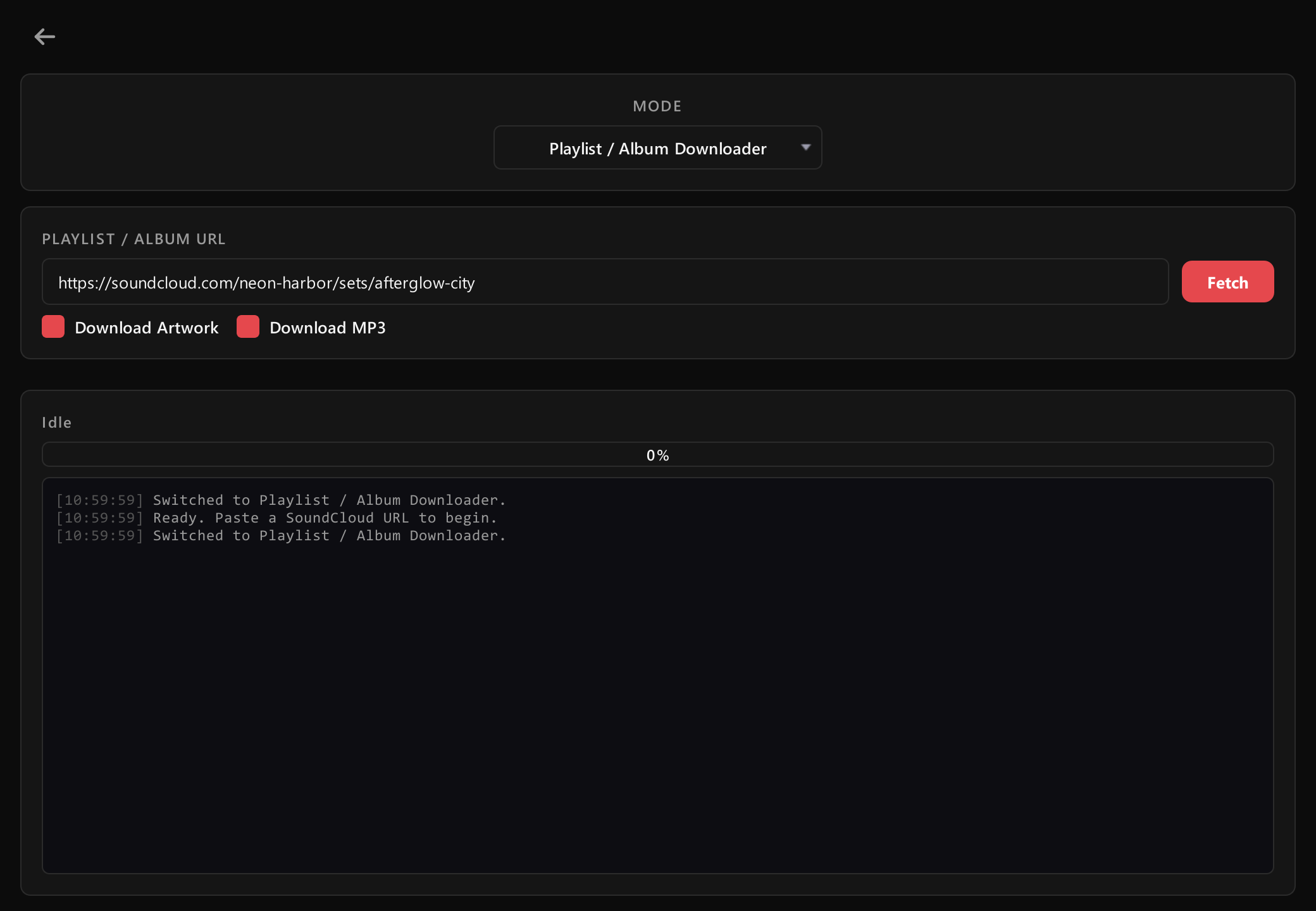
Choose exactly what you want
Pick a mode — Profile, Single Track, Likes or Playlist / Album — paste a link, and tick the MP3, the cover art, or both.
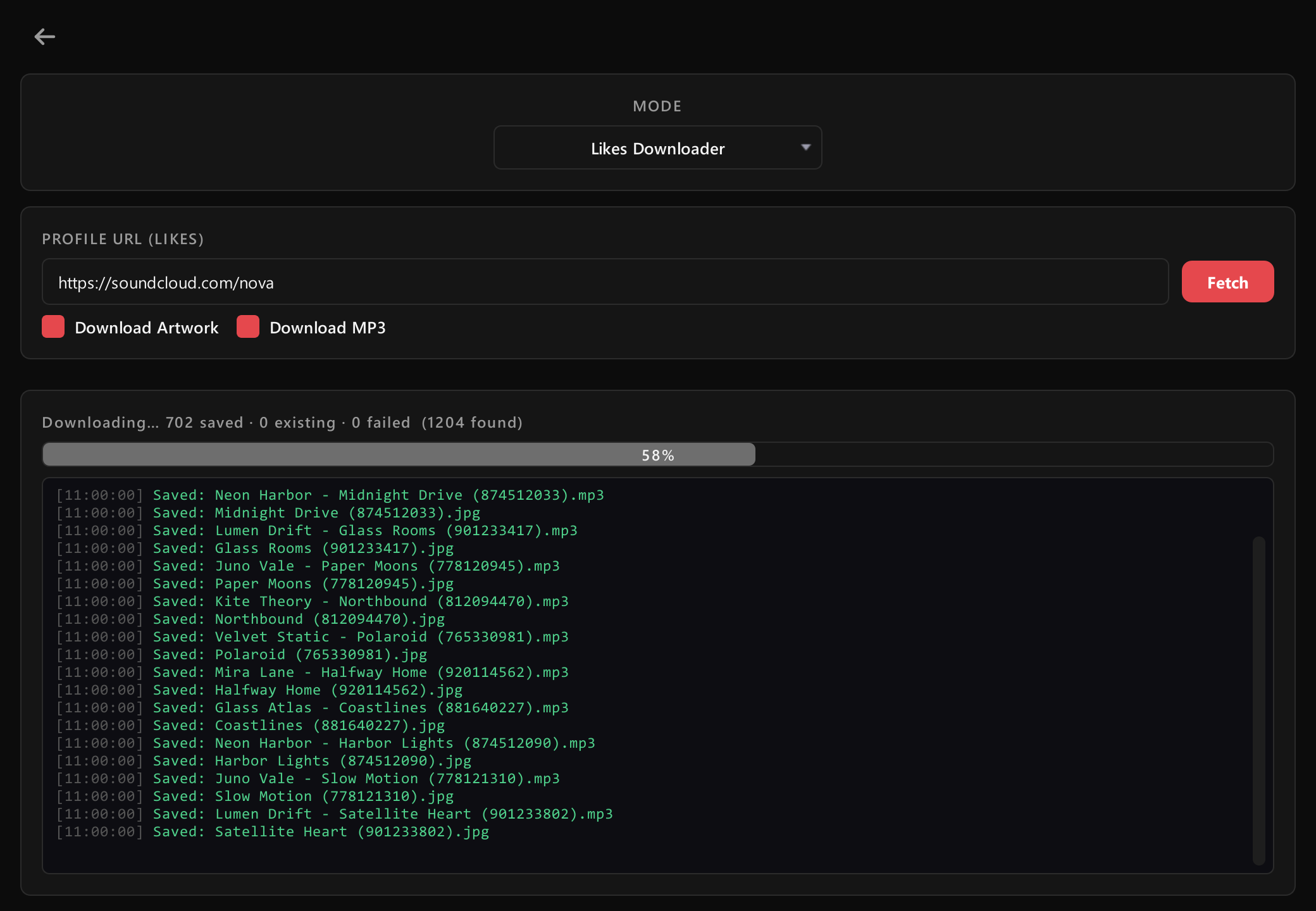
Download in bulk
A whole playlist, an album, or thousands of liked tracks at once — with a live progress bar and a colour-coded log of every file. Syncing your likes again only fetches what's new.
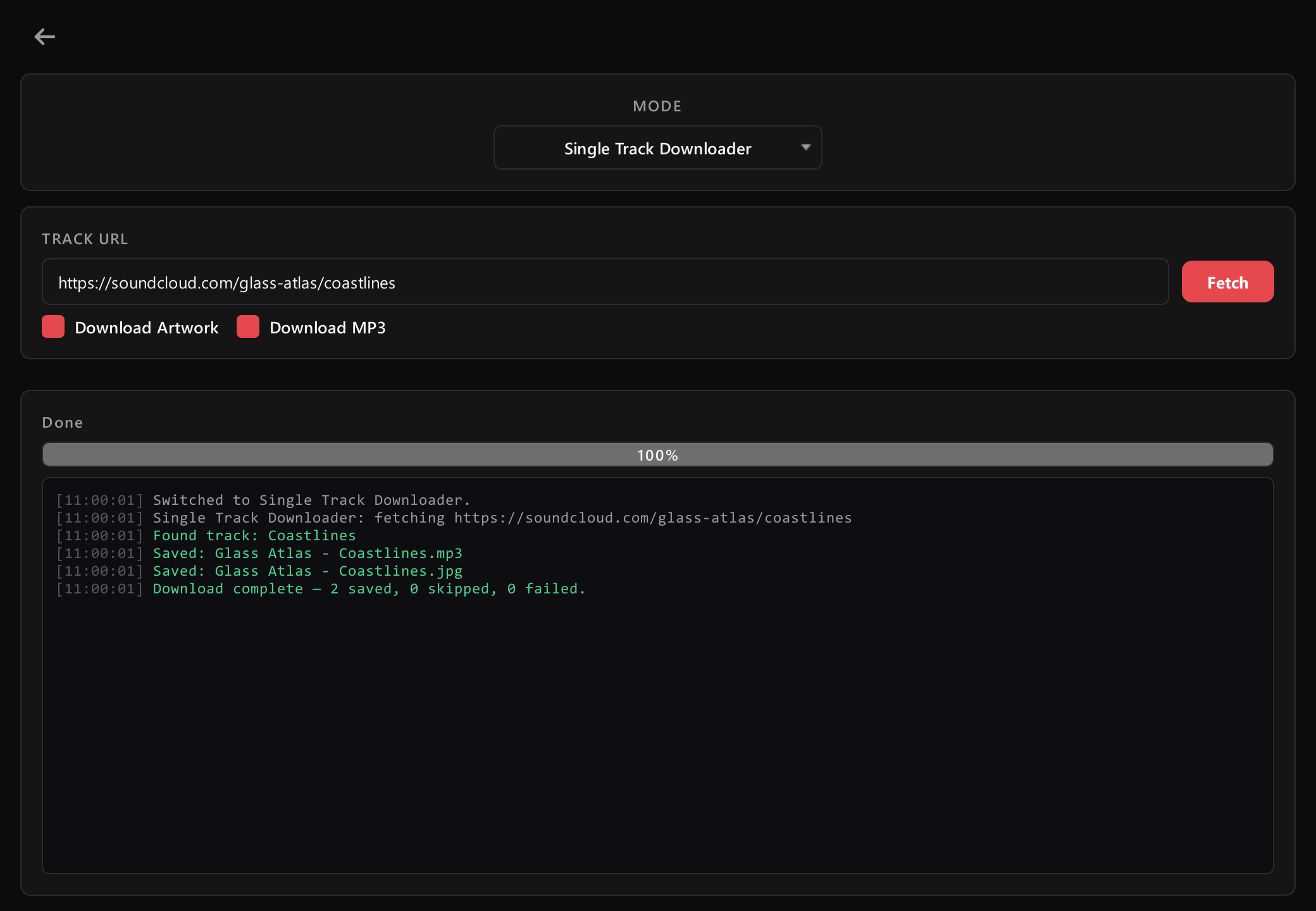
Or just one track
Paste a single link and it's saved in seconds — cleanly named, sorted into folders, and added straight to your music library.
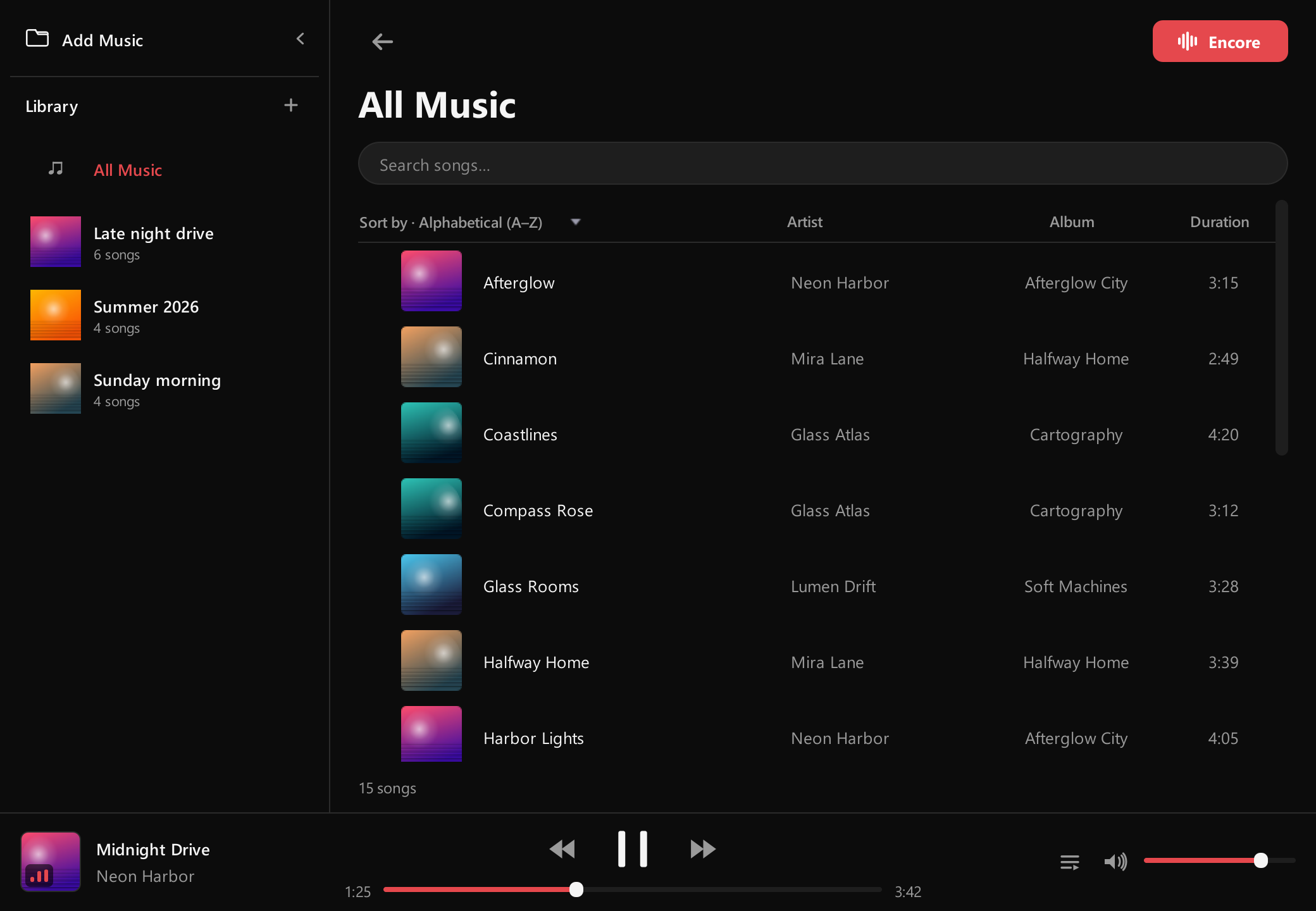
Your music, all in one place
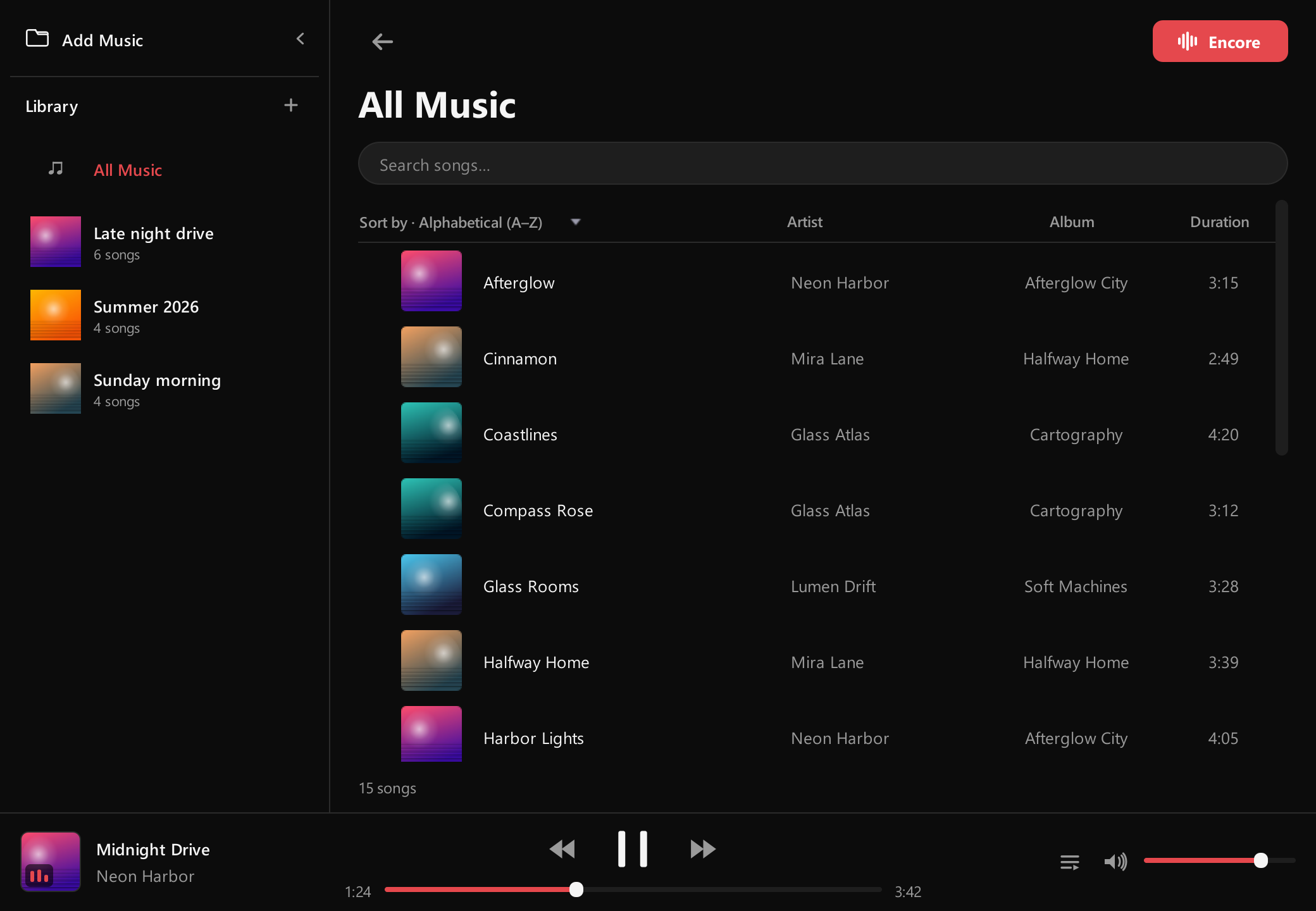
Everything you download lands in your library automatically, cover art and all. Search as you type, sort by title, artist, album, length or date added — and add music you already own, too.
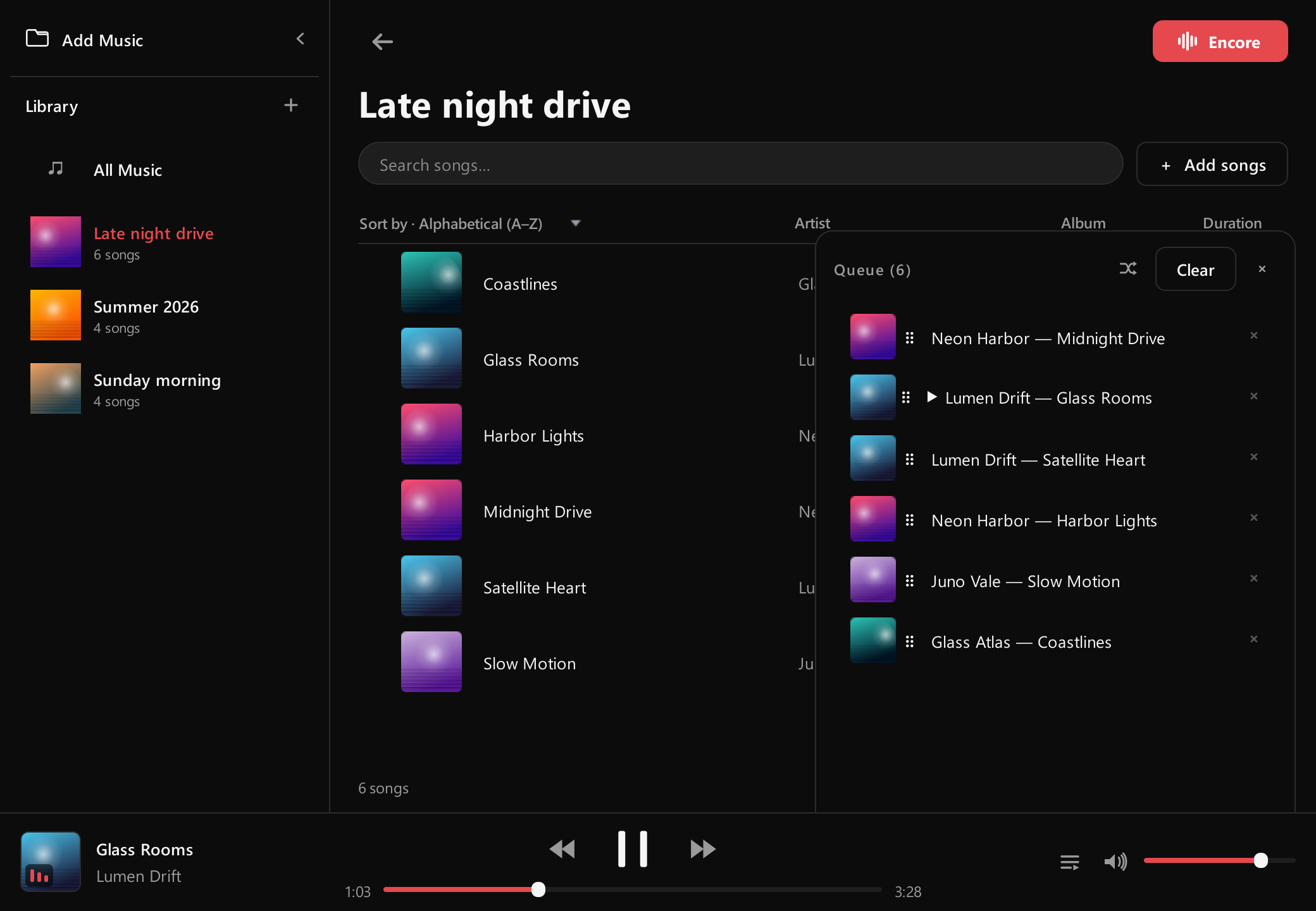
Playlists and a play queue
Make playlists with their own covers, then line songs up: Add to queue, Play next, drag to reorder, or shuffle. Right-click any song to edit its title, artist, album or cover.
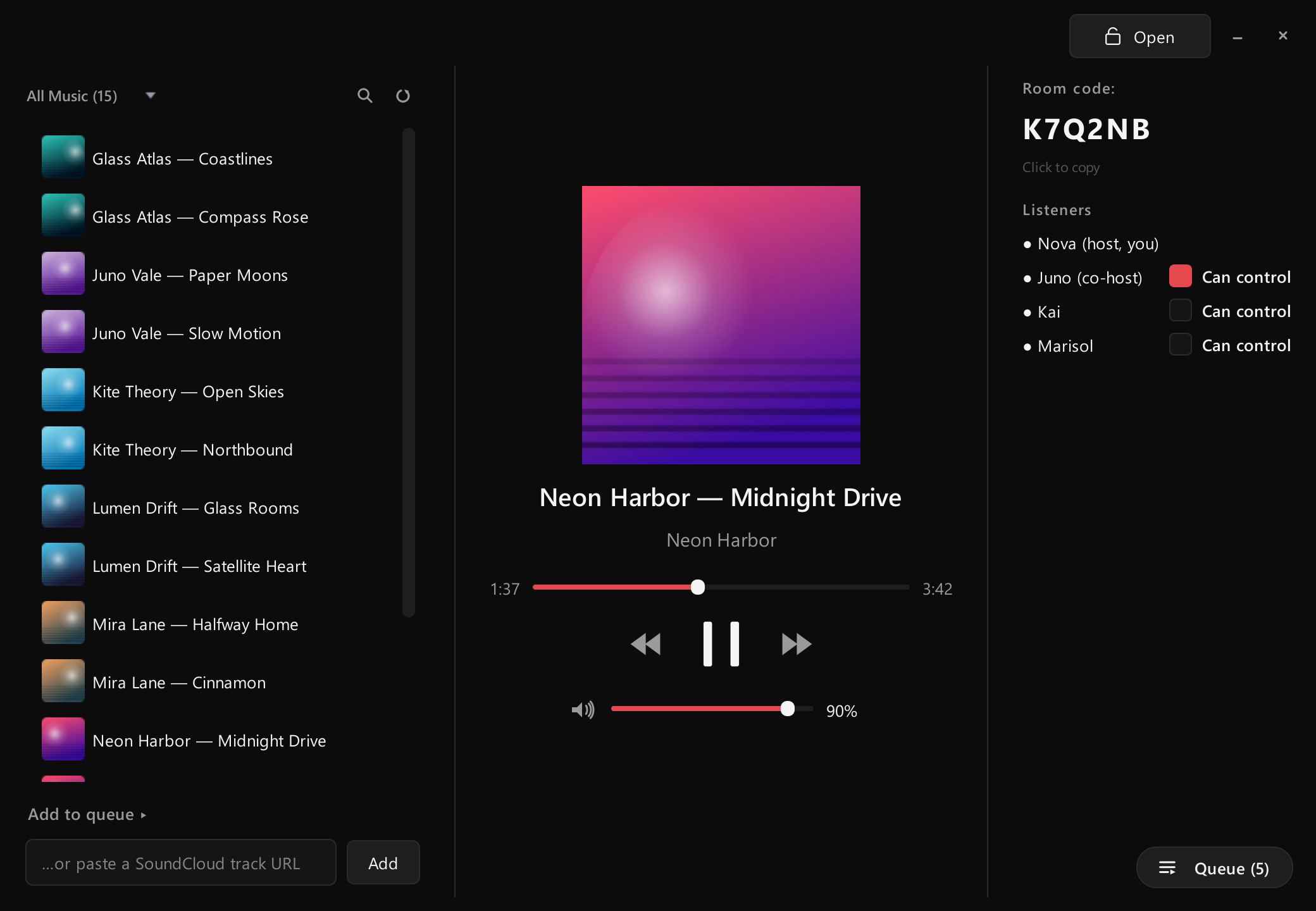
Encore — listen together
Share a room code and everyone hears the same song at the same moment. One shared queue, and you decide who else can control playback. Your music is never uploaded — everyone plays their own copy, kept in step.
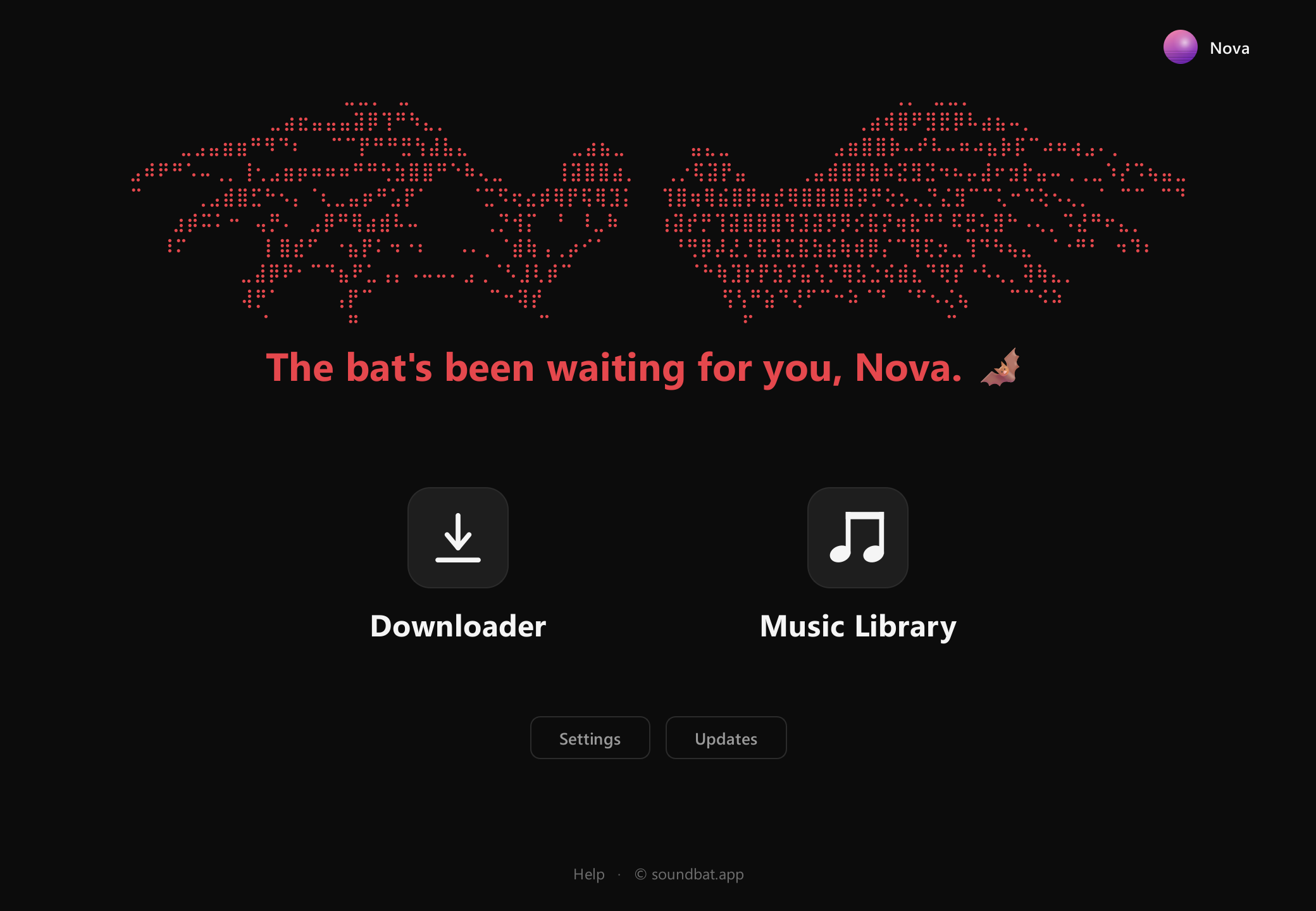
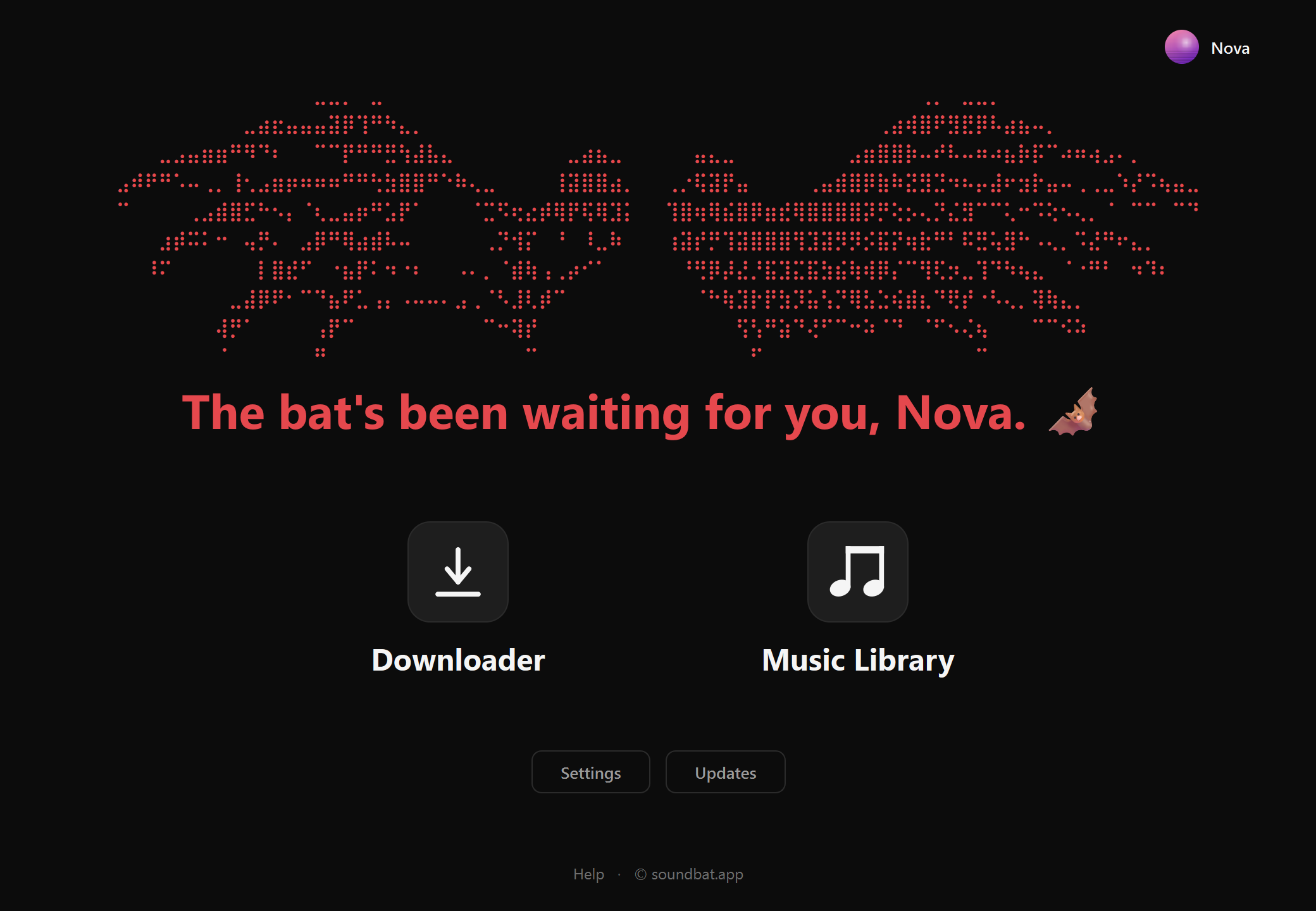
Everything from one home screen
The Downloader and your Music Library up front, Settings and Updates right below, and your profile in the corner. When a new version is out, you'll see it here.
Late-night drives, synthwave and anything with a big chorus.
Adjust picture
Make your profile
A name, picture, banner and short bio. It's yours on the home screen, and it's what people see when you're in an Encore together.
Try it: press Edit profile, pick a picture, then drag, zoom and rotate it into place. Your pictures stay in your browser — nothing is uploaded.
Pick your colours
Dark, Light, or Native to follow Windows — and 14 accent colours, from Bat red to Ocean blue. The whole app changes the moment you pick.
Native follows your system, which is set to mode right now.
In your language
English, French, Spanish, Chinese and Arabic. In Arabic the words read right to left, and every button stays right where you know it.
Documentation
How to use SoundBat, how it works underneath, and a few live tools to try it out.
Install
Get SoundBat from the Download page, unzip it anywhere and run SoundBat.exe — there's no installer. Keep it next to the _internal folder it came with. Windows 10 or 11.
SoundBat isn't code-signed yet, so the first time Windows may say "Windows protected your PC". Click More info, then Run anyway.
Activate your key
Your key arrives by email right after you buy:
Paste it into the activation screen and click Activate. It locks to that computer, so you won't be asked again there. Then set up your profile — a name and, if you like, a picture.
Updating
When a new version is out, a red line appears on the home screen and a pop-up shows what's new. Click Update now: SoundBat downloads the update, checks it's genuine, and Restart now swaps it in.
Your library, playlists, profile, settings and key all carry over. The Updates page lists what changed in every version and has a Check now button.
Move to a new PC
A key works on one computer at a time. New PC or reinstalled Windows? Email support@soundbat.app and we'll free your key for the new machine.
How long will it take?
Slide to how many tracks you want and pick your internet speed. SoundBat downloads four at a time, so on a big job your connection sets the pace, not the app.
From our tests: about 2 MB per track, up to 5 MB/s per download.
Where your files go
Downloads go in your Documents folder, or another one you pick in Settings → Downloads. Each account or artist gets its own folder, and music and artwork are never mixed.
Pick a mode and type a name to see exactly what SoundBat makes.
Syncing your likes
Paste your SoundCloud profile link into your profile — no login — then in the Music Library choose Add Music → Sync your SoundCloud likes.
Likes come newest first, so once SoundBat meets 25 in a row you already have, it stops. If the last sync was cut short, it checks every like. About once a week it checks them all anyway, which brings back songs you deleted.
Download modes
Open Downloader from the home screen and pick a mode:
- Profile — an account's avatar and banner.
- Single Track — one track.
- Playlist / Album — every track; albums are numbered.
- Likes — an account's whole liked collection.
Tick MP3, artwork or both, paste a link and click Fetch. Big jobs have a Cancel button.
What downloads
Each track is saved as an MP3 — the 128 kbps MP3 SoundCloud serves for public tracks. When there's only a stream, the bundled ffmpeg converts it.
For tracks SoundCloud won't let anyone save (Go+ previews, DRM), SoundBat looks for the same song on YouTube and saves a confident match, labelled with SoundCloud's title, artist and cover. Anything that still can't be saved is skipped cleanly and listed in skipped.txt.
Your library
Open Music Library from the home screen. Everything you download is here, with its cover art. To add music you already own, click Add Music and pick files or a folder — they aren't moved or copied, SoundBat just remembers where they are.
- Search as you type; sort by title, artist, album, length or date added.
- Right-click a song to edit its title, artist, album or cover. The change is written into the file, so other players see it too.
- The player bar follows you on every screen while music plays.
Playlists & queue
Make a playlist with the + next to Library. Right-click it to rename it, give it a cover, or archive it — archived playlists are kept, never deleted. Tick several songs to add them all at once.
Open the queue from the player bar. Add to queue puts songs at the end, Play next right after the current one. Drag to reorder, shuffle, or remove.
Encore
Listen together. Press Encore in the Music Library to start a room and share its code — everyone who joins hears the same song at the same moment.
- Nothing is uploaded: everyone plays their own copy, kept in step by a shared clock. Someone missing a song? Send them that one file.
- One shared queue. As host, tick Can control to let someone play, pause, skip and seek.
- Lock the room so nobody new can join, or minimize it and keep listening.
The connection is encrypted. The others see your profile: name, picture, banner and bio.
Your profile
Click your name in the top-right of the home screen, then Edit profile: a display name, a picture and a banner, a short bio, and your SoundCloud link for syncing likes. It's what people see in an Encore, and it's kept when you update.
Home screen
SoundBat opens on a home screen that greets you by name: Downloader and Music Library up front, Settings and Updates below, your profile in the corner.
Themes & colours
In Settings → Appearance: Dark, Light or Native (follows Windows), and one of 14 accent colours — Bat, Unicorn, Ember, Gold, Coffee, Earth, Forest, Mint, Ocean, Glacier, Midnight, Lavender, Orchid and Neon. Both change the whole app instantly. Try them on the Showcase.
Languages
English, French, Spanish, Chinese and Arabic, in Settings → Appearance → Language. The app switches straight away; in Arabic the words read right to left while the layout stays put.
Tray & startup
Minimize SoundBat and it tucks next to the clock while music and any Encore keep going. Left-click the icon to bring it back; right-click for play/pause, skip and Quit. In Settings → Behaviour you can turn that off, or start straight in the tray.
Four at a time
Playlist and Likes jobs run through a batch engine: one part finds tracks while a small team downloads them through short queues, so even 5,000 tracks use the same little memory.
One download already pulls about 5 MB/s; four fill the connection; eight only get in each other's way — so four is the default. Cancel stops cleanly: files already downloading finish, nothing is left half-written.
Resilient downloads
- Stream links are short-lived, so they're fetched at download time and fetched again if one expires mid-job.
- Each download retries with a pause on temporary errors.
- Files are written as
.partand renamed only when complete — a half-file is never mistaken for a finished one. - Files you already have are skipped, so re-running a job only picks up what's missing.
Full pagination
SoundCloud hands out likes a page at a time. SoundBat asks for the most it allows per page and follows every page to the end, so a 5,000-like account is fully covered, not cut short. A safety cap stops it from ever looping forever.
Stress test
A real Likes run (July 2026) on a public profile with thousands of likes, through the same code the app uses:
| Metric | Result |
|---|---|
| Liked tracks found | 5,057 |
| Pages fetched | 114 |
| Time to find them | 62.8s |
| Files on disk after | 5,051 |
| Lost or empty files | 0 |
The only 6 misses were dead links on SoundCloud's own servers — checked by counting the files on disk, not trusting a counter.
Safety & privacy
SoundBat only downloads public content you point it at, and there's no SoundCloud login anywhere. Everything it connects to:
- SoundCloud — the same public pages and audio a browser would load.
- YouTube — only for songs SoundCloud won't let anyone save (using the open-source yt-dlp).
- The license server — your key and a random code for your computer, so a key works on one PC. Not your name or your files.
- GitHub — checking for a newer version and downloading it when you update. You can turn the check off in Settings.
- The Encore server — only while you're in an Encore: what's playing, and your profile, for the people in your room.
Your music never leaves your computer — unless, in an Encore, you choose to send someone a song. To check your copy is genuine, compare SoundBat.exe's SHA-256 with the one on the GitHub release, or scan it on VirusTotal.
FAQ
- Subscription or one-time?
- Both: $5 a month, or $10 once for lifetime.
- Does it work offline?
- Yes. It checks your license on launch and keeps working through short offline spells.
- Which Windows?
- Windows 10 and 11.
- Will I lose my library when I update?
- No — your library, playlists, profile and settings live outside the app folder.
- Does Encore upload my music?
- No. Everyone plays their own copy; only "what's playing and when" is shared, unless you send someone a song.
- Refunds?
- Email support and we'll sort you out.
Support
Questions, bugs or key issues? Email support@soundbat.app and we'll help you out.